How we work

WhatsApp-first, Quality-Assured, delivery-ready.

Workflow

From WhatsApp to final assets

Four simple steps. We handle all fixes internally before delivery.

1. Share on WhatsApp

Send garment photos and make your choices in this order:

Upload garments Choose background Select size Select output

Background presets: Studio / Outdoor / Festive / Occasions / City (or Custom with offer text). Sizes: Square / Portrait / Landscape. Outputs: Static Image / Static Video / Dynamic Video.

We’ll auto-select model skin tone & styling to suit the outfit.

Share garment photos on WhatsApp

2. Forensic transfer

We replicate the garment exactly—color, borders, motifs, drape & shine—onto a full-body model.
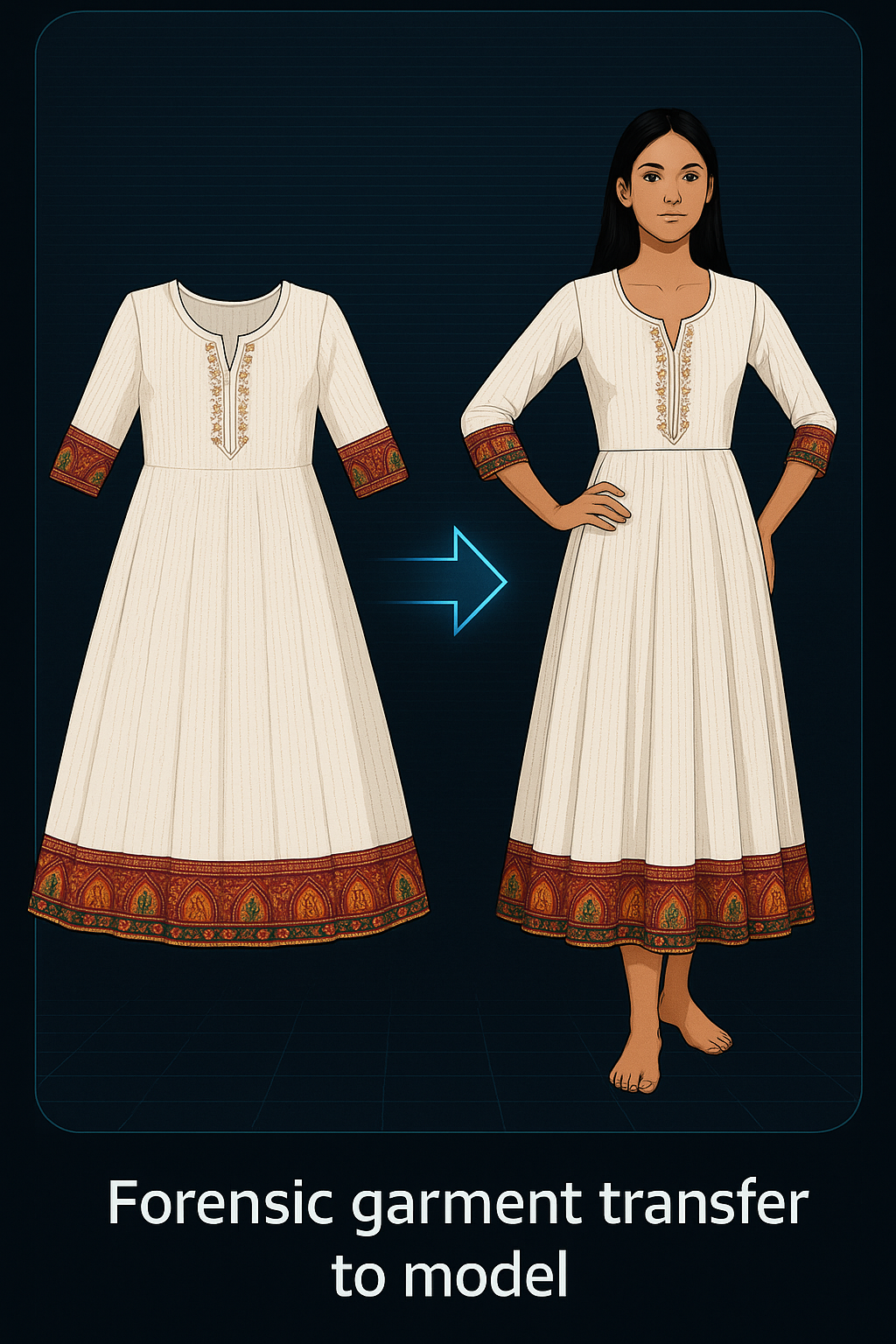
Forensic garment transfer to model

3. Quality Assurance

Our team reviews every asset; any fixes or regeneration are handled internally before delivery.

Human QA review

4. Deliver

Final images or videos are shared via WhatsApp, cloud link, or email. Branded merges optional.
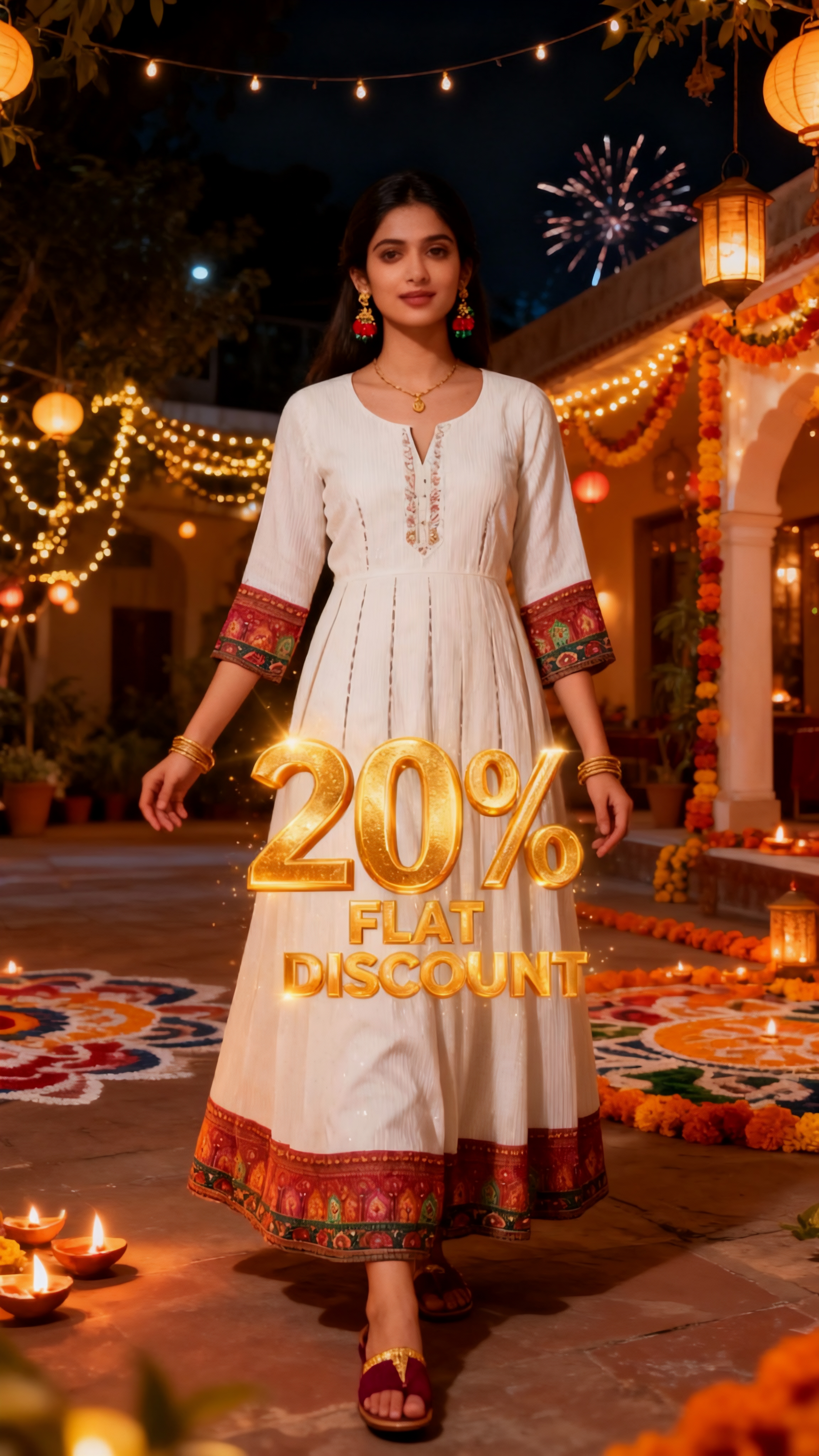
Delivery of final assets

Outputs

What you receive

Pick the output type you need. We’ll size it for your channels or marketplaces.

Static Image

Production-ready stills with one-to-one garment fidelity. Perfect for PDPs, catalogs, banners, and ads.

PNG / JPEG Color-accurate QA before delivery

Static Video

Short looping clips without camera motion—ideal for marketplaces, PDPs, and variants.

MP4 / WebM 5s 10s Loop-ready

Dynamic Video

Motion spots with subtle pans/zooms or model movement for reels and ads.

MP4 / WebM 5s 10s Social/ad-ready

Sizes

Square • Portrait • Landscape

We export in the three core aspect ratios and can map to marketplace specs on request.

Square

Best for grid posts, catalogs, and marketplace thumbnails.

Portrait

High impact for reels/stories and other mobile-first placements.

Landscape

Great for banners, cover images, hero headers, and wide displays.

Marketplace-ready (Myntra, Nykaa Fashion, Flipkart, and more)

FAQ

Common questions

How do you choose the model skin tone and styling?
We analyze your garment’s color, pattern, and category, then auto-select model skin tone & styling that does justice to the outfit — so the final ad looks natural and brand-right.
What background options can I choose?
Pick from Studio, Outdoor, Festive, Occasions, or City. If you need Custom backgrounds (brand colors, campaign scenes) or offer text overlays, tell us on WhatsApp.
Our team inspects color, pattern, borders, and framing on every asset. If we spot anything off, we fix it and regenerate internally before delivering the final outputs.
What do you need from me to start?
Garment photos (front/back), your chosen background preset (Studio / Outdoor / Festive / Occasions / City) or Custom with offer text, plus the output type (Static Image / Static Video / Dynamic Video) and size (Square / Portrait / Landscape). Share these on WhatsApp and we’ll begin.
Can you match marketplace size requirements?
Yes. We can map outputs to specs used by Myntra, Nykaa Fashion, Flipkart, and other marketplaces on request.
How fast do I get the outputs?
All image and video outputs are delivered within 24 hours of receiving your garment photos.
How are files delivered?
Via WhatsApp or a secure cloud link. Images are usually PNG/JPEG; videos are MP4/WebM. Branded merges are optional.
Who owns the outputs?
You own your inputs and the final outputs. We can delete working copies on request.
How do I place an order?
Tap “Chat on WhatsApp”, send garment photos and your background choice (or custom), output type, and size. We’ll process, QA internally, and deliver via WhatsApp or cloud link.
💬